GitHub Cookie Guide
Method: Network Tab
STEP 1
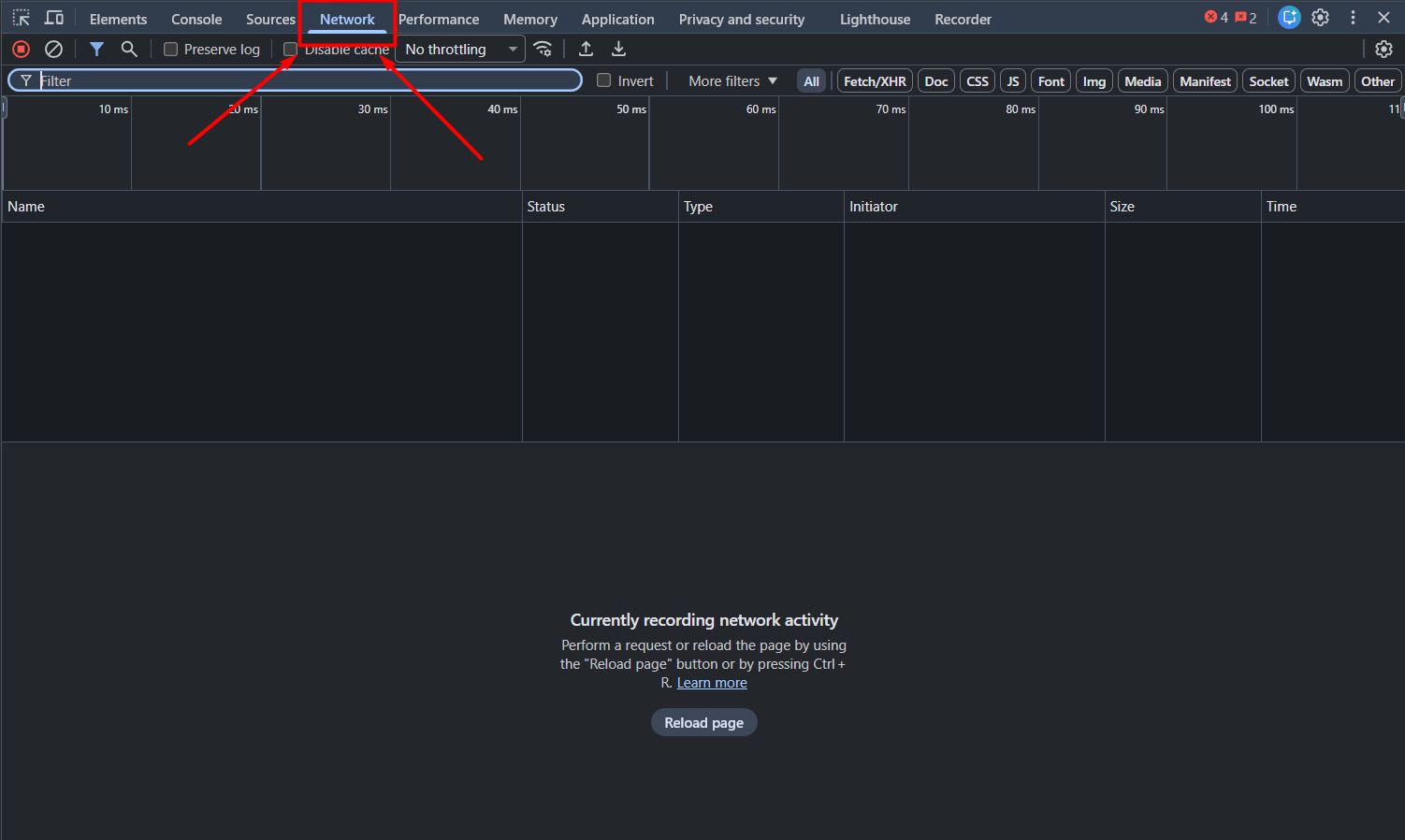
Open Developer Tools FIRST
1. Open your browser (Chrome recommended) on a new tab.
2. Press F12 on your keyboard before opening any link.
3. Select the Network tab at the top. (If hidden, click the ">>" arrow).
STEP 2
Go to the Link
Note: Make sure you are already logged into your GitHub account before doing this step.
Now that the Network tab is open, copy and paste this link into the address bar and press Enter:
👉 https://github.com/settings/education/benefits
(You will see data starting to appear in the Network tab).
STEP 3
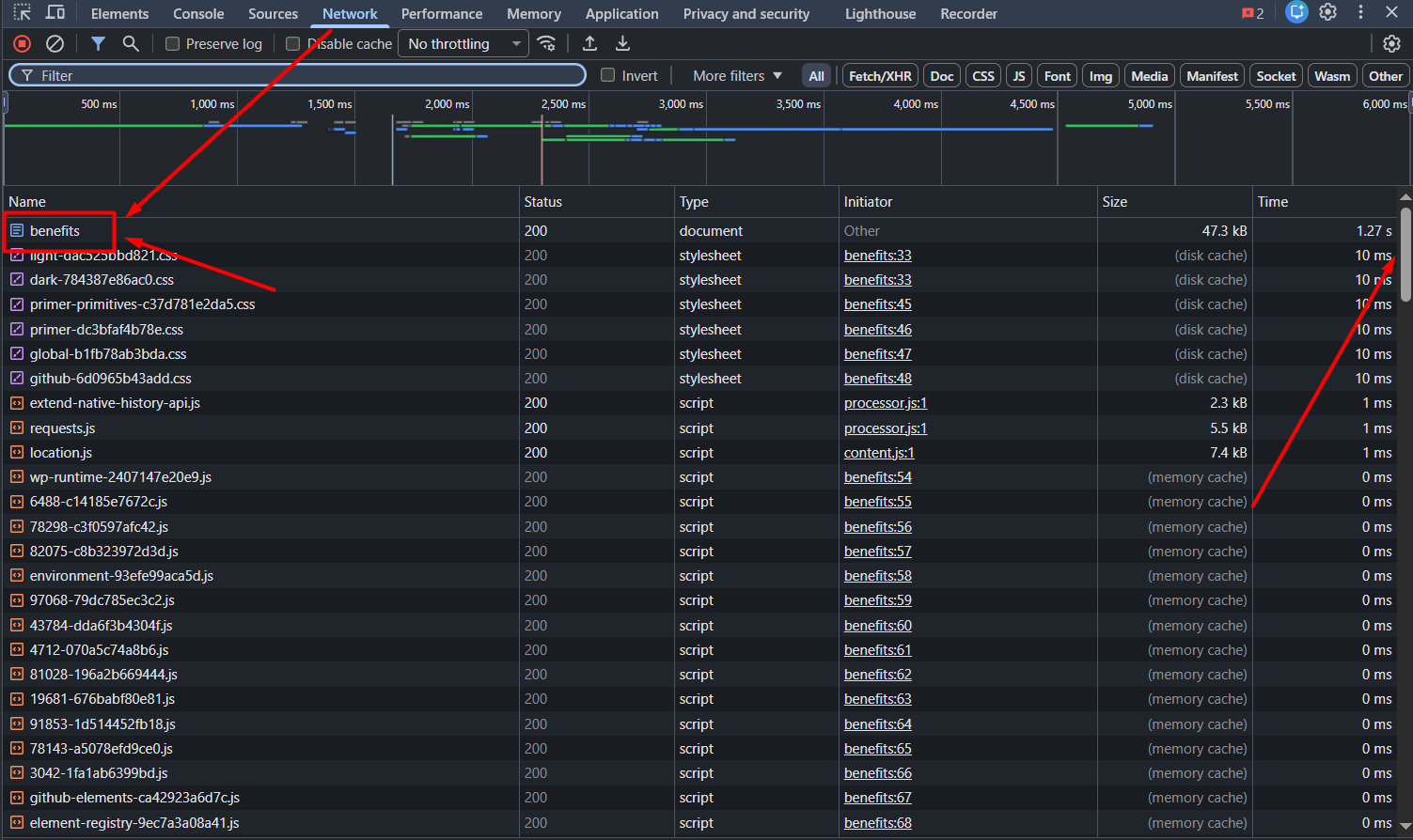
Filter "Benefits"
1. In the Network tab, find the Filter box (top left).
2. Type: benefits
3. Click on the name benefits that appears in the list.
STEP 4
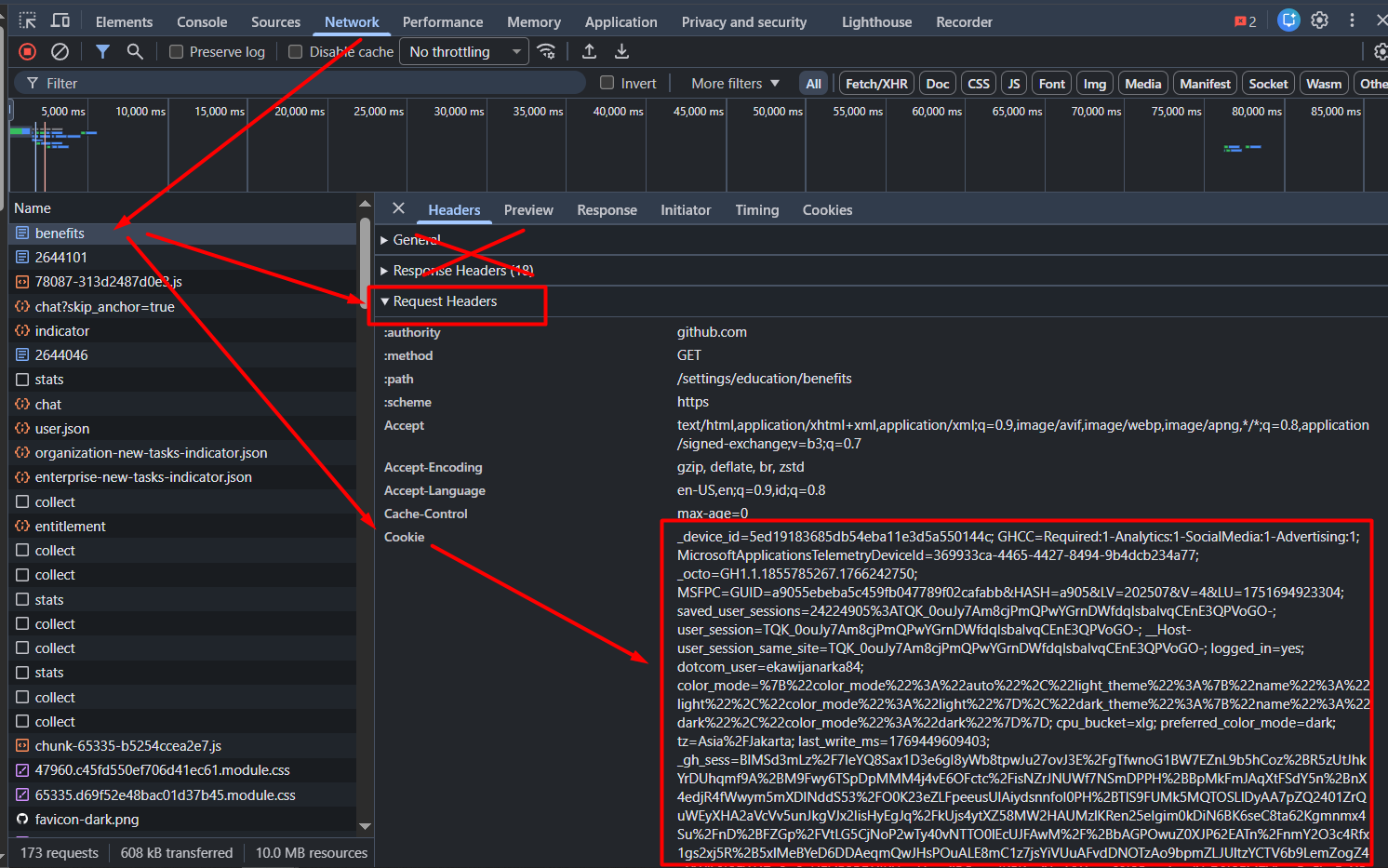
Copy the Request Header Cookie
Look at the panel on the right side:
- Scroll down to the Request Headers section.
- Find the word Cookie:.
- Copy the ENTIRE text value next to it (Right click > Copy value).
⚠️ IMPORTANT: Use "Request Headers" only.
DO NOT use "Response Headers" or "General".
DO NOT use "Response Headers" or "General".
Example (Copy all of this):
_device_id=5ed19...; GHCC=Required...; user_session=TQK_0ou...;
_octo=GH1.1.1722...; GHCC=Required...; user_session=TQK_0ou...;
(It's fine if it starts with "_device_id" or "_octo". Just copy everything).
_device_id=5ed19...; GHCC=Required...; user_session=TQK_0ou...;
_octo=GH1.1.1722...; GHCC=Required...; user_session=TQK_0ou...;
(It's fine if it starts with "_device_id" or "_octo". Just copy everything).
Bot: @githubedu_bot